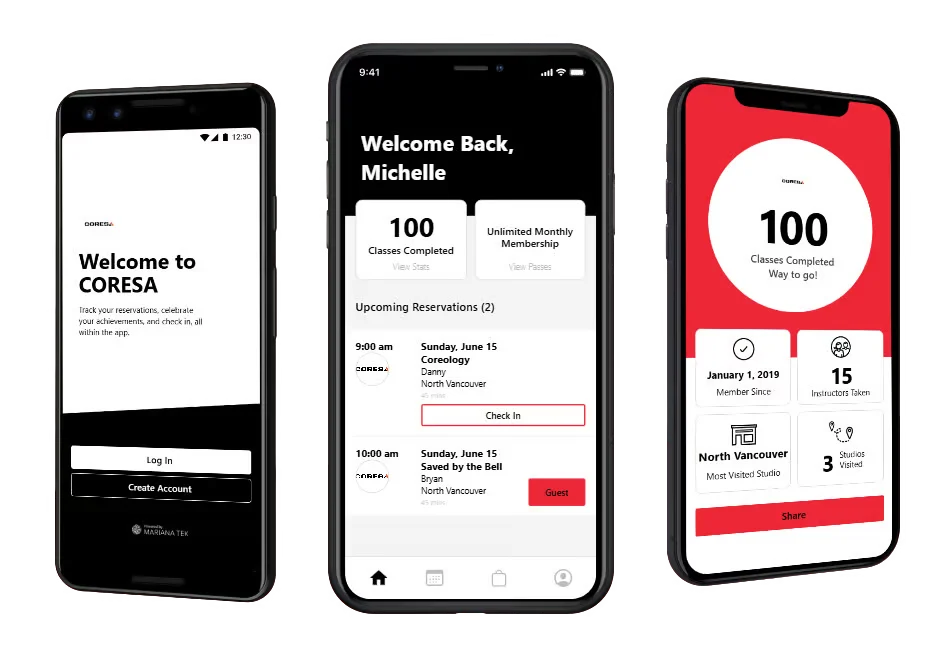
Booking at Coresa runs through the live online schedule: open it, pick a session that fits your week, sign in to (or create) your account, and confirm your spot. The whole flow takes about two minutes on a phone, and the schedule always shows real, current availability rather than a static timetable.
The booking flow, step by step
- Open the Coresa app. It lists actual upcoming sessions, so what you see is what's bookable.
- Choose a day and time. The studio operates daily from 6:00 am to 8:00 pm, so the range runs from pre-work starts to evening slots.
- Sign in or create an account. Coresa's booking is powered by Mariana Tek, and your account is where every reservation lives.
- Confirm. The session should appear under your account right away — that's your receipt and your commitment device in one.
Managing bookings after you reserve
Your account page holds your upcoming reservations, and it's also where changes happen. If plans shift, the answer on cancelling or rescheduling a class walks through that side of the system, including why studios use cancellation windows in the first place.
If a session you want shows as full, it's worth checking back — coached formats keep numbers deliberately manageable, and spots do reopen when someone's week changes.
Tips for a first booking
- Book a time you can protect. A session sitting on your calendar beats a vague intention to "get in sometime this week" — that's half of why booking systems work.
- Consider a call first. A free 15-minute consult call means you walk into your first class already knowing what to expect and at least one name.
- Read the first-timer rundown. The your first class guide covers arrival, the briefing, and how the session flows, so nothing on the day is a surprise.
- Stuck? Talk to a human. Call (236) 868-9964 or email info@coresatraining.com — a quick call resolves account hiccups faster than fighting a form.
Common questions
Do I need an account just to look at the schedule?
The schedule itself is there to browse. The Mariana Tek account comes into play when you reserve, because your bookings need a home you can return to for changes.
Can I book several classes at once?
Your account supports multiple upcoming reservations, so mapping out a full week in one sitting is normal. Any limits tied to a particular pass or membership are best confirmed with the studio directly.
How far ahead should I book a session?
As soon as you're sure of the time. Coached sessions aren't unlimited-capacity, so popular hours reward planning over same-day luck.
What if the booking system gives me trouble?
Reach out through the contact page or phone the studio. Booking software has off days; the team can sort out accounts, duplicates, and anything else the buttons won't.